
Noggad88 App — The Full Gaming Experience on Mobile
Play directly from your smartphone. The noggad88 app is fast, lightweight, and easy to use. Download it once and all games and offers are right at your fingertips.
Noggad88 App — The Full Gaming Experience on Mobile
The noggad88 app is available on both Android and iOS. Choose the right version for your device.
Compatible with any Android 5.0 or later smartphone. Download the APK file directly and complete installation in just a few minutes.
Download APKOptimized for iPhone and iPad. Runs beautifully on iOS 12.0 and above. Stunning graphics on Retina displays.
Download for iOSYou can play noggad88 in a browser without installing the app. Open noggad88.net in any mobile browser — Chrome, Firefox, or Safari — and get started right away.
Play in BrowserMost people today rely on their phones for nearly everything — reading the news, shopping, you name it. Gaming is no different. The noggad88 app was built with exactly that in mind. It packs the full functionality of the desktop site into a compact app that is even easier to use.
First, there's speed. The noggad88 app launches in just a few seconds — no waiting for a site to load in a browser, no repeated logins. Log in once and the app keeps your session active. Next time you open it, you go straight to the game lobby.
The second advantage is push notifications. With the noggad88 app, you get direct phone notifications for new bonus offers, upcoming tournaments, and special promotions — something the browser simply can't do. So you'll never miss an offer.
The third advantage is data savings. The noggad88 app uses less data than the browser version because game assets are cached after the first load. For mobile internet users in Bangladesh, this is a genuinely useful benefit.
As for the interface, the noggad88 app is designed specifically for mobile screens — large buttons, clear text, and intuitive navigation make it a pleasure to use. Visual quality stays sharp even on smaller screens.
Only download the noggad88 APK from the official site. Downloading from third-party sites is not safe. The official version carries no risk of viruses or malware.
Deposits and withdrawals are just as easy inside the noggad88 app. Mobile banking or bank transfer — any payment method can be used directly within the app, no need to visit a separate site. Live Casino, slots, Sports Betting — it is all in one place.
The app opens in just 2–3 seconds. Much faster than a browser.
Get bonus and tournament updates straight to your phone. Never miss an offer.
Fast, secure login with fingerprint or Face ID.
Runs smoothly even on weak networks. Cached data means faster load times.

Noggad88 App — Easy Installation on Android and iOS
Installing the noggad88 APK on your Android device is quick and straightforward. Just follow the steps below.
Enable Settings → Security → Unknown Sources. This is required to install APK files. On Android 8 and above, go to Settings → Apps → Special App Access → Install Unknown Apps.
On the noggad88 download page, click the Android APK button. The file will be saved to your phone's Downloads folder.
Open your Downloads folder and locate the noggad88.apk file. Tap on it to begin.
Tap "Install" and wait a few seconds. Once the installation is complete, you will see "Open" or "Done".
Open the app, log in to your noggad88 account, and start playing right away.
Installing the noggad88 app on iPhone or iPad is even easier. Install via the App Store or directly through a link.
Use Safari on your iPhone or iPad. Some features may not work correctly in Chrome or Firefox.
Open noggad88.net in Safari and tap the iOS download button on the download page.
Go to Settings → General → VPN & Device Management and trust the noggad88 profile.
You will find the app on your home screen. Tap to open it and log in.
Access all games, bonuses, and payment options directly from the app.
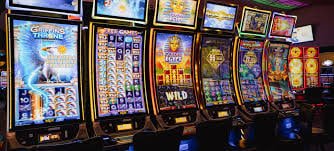
Noggad88 — Live Gaming on Mobile
The noggad88 app is more than just a gaming app — it is a complete platform.
HD Live Casino streaming on mobile. Smooth and buffer-free.
Deposit and withdraw without leaving the app. Mobile banking is fully supported.
Join tournaments directly from the app and track your position on the leaderboard.
SSL encryption and two-factor authentication. Your information is fully protected.
Use the app entirely in Bangla. No language barriers.
Live chat is built right into the app. Get instant help whenever you need it.
It is a common misconception that the app only gives you access to a limited selection of games. Everything available on the desktop site is available in the app — and in some cases the app offers exclusive content you won't find elsewhere.
The noggad88 app's slots section features over 500 games. Slots from top global providers — Pragmatic Play, NetEnt, Microgaming — run smoothly on mobile. Spinning on a touchscreen actually feels more natural than on a desktop.
The Live Casino section offers blackjack, baccarat, roulette, and game shows — all available in the app. HD video streaming works great on mobile. Even on a smaller screen, you can clearly see the dealer, cards, and wheel spin.
The Sports Betting section is fully functional on the noggad88 app. You can place live bets on cricket, football, tennis, and more. Live score updates and odds changes appear in real time, and you can also adjust your bets while a match is in progress.
Virtual Games and e-sports are also fully available in the app. You can bet on computer-generated virtual cricket or football matches at any time, since they run independently of real match schedules.
Noggad88 app users occasionally receive exclusive bonuses and promotions available only in the app. Keep push notifications on so you never miss these offers.
Noggad88 app also has a dedicated section for VIP members. The VIP lounge, exclusive tables, and high-roller games are all accessible from the app. To learn more about VIP, VIP Page View.
Slots from the world's top providers, fully available in the app.
Blackjack, roulette, baccarat — 50+ live tables in the app.
Live betting on 20+ sports, including cricket and football.
24/7 Virtual Sports & e-sports betting.
Here are the requirements your device needs to run the noggad88 app.
| Description | Android | iOS | Mobile Browser |
|---|---|---|---|
| Minimum OS Version | Android 5.0+ | IOS 12.0+ | Any modern browser |
| Processor | Quad-core 1.4GHz+ | A9 chip or later | Any smartphone |
| RAM | 2 GB+ | 2 GB+ | 1 GB+ |
| Storage | 50 MB free space | 60 MB free space | Not Applicable |
| Internet | 3G / 4G / WiFi | 3G / 4G / WiFi | 3G / 4G / WiFi |
| App Size | 24 MB | 31 MB | No Download |
| Update | Automatic / Manual | Automatic / Manual | Always Up to Date |

Noggad88 — Safe and Smooth Gaming on Any Device
Frequently asked questions about the noggad88 app download.
Get the full mobile gaming experience. Download the noggad88 app and enjoy a welcome bonus on your new account.